

Free Buzz Cut Filter: Preview Your Look With 7 AI Apps
Quick Answer:
How Can I See Myself With a Buzz Cut?
You can see what you would look like with a buzz cut by using a free AI buzz cut filter or haircut simulator. Upload a clear selfie to an AI hairstyle tool such as BeautyPlus, Media.io, or AirBrush, select a buzz cut style, and compare the results. Try different guard lengths and fades using the same photo for a more consistent comparison. AI previews are estimates, so your actual haircut may look different.
Wondering what you would look like with a buzz cut before visiting the barber? An AI buzz cut filter lets you upload a selfie and preview shorter hairstyles without cutting your hair. You can explore different guard lengths, fades, and hairline styles to see which look you prefer.
In this guide, we explore 7 AI buzz cut filter apps, including BeautyPlus, Media.io, AirBrush, and Snapchat. You’ll learn how to use these tools, compare different buzz cut styles, and understand their limitations so you can make a more confident haircut decision.
What is Buzz Cut Filter
What is Buzz Cut Filter?
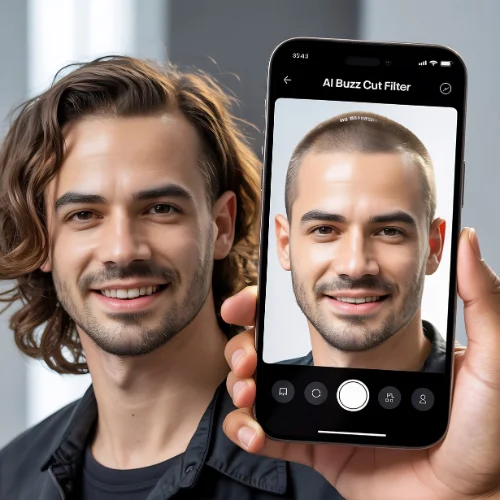
A Buzz Cut Filter is an AI-powered hairstyle tool that changes your hairstyle digitally. It creates a virtual buzz cut on your photo to show how you may look with short hair.
These filters use facial mapping and smart AI technology to match the haircut with your face shape, jawline, and hair texture. In 2026, the results look much more realistic than older hairstyle apps.
Most Buzz Cut Filter tools can show:
✅ Different guard lengths
💠Fade styles
💠Hairline shapes
💠Beard matching
💠Face shape adjustments
💠Realistic shadows and texture
The biggest reason people use these tools is confidence. Instead of taking a risk at the barber shop, users can test styles safely online.
7 Best AI Buzz Cut Filter Apps to Try in 2026
Many free AI hairstyle apps now offer buzz cut filters. Some focus on realistic editing, while others are built for social media fun. Here are 7 popular options to try in 2026, with what each one does best.
Comparison Table

Which buzz cut filter should you choose? BeautyPlus and AirBrush are useful starting points for photo-based hairstyle previews, while TikTok and Snapchat are better suited to experimenting with social media effects. Media.io, AI Lab Tools, and MyShell AI offer additional AI-generated hairstyle options to explore. Compare the available features, free-use limits, and image quality before choosing a tool, as pricing and access can change.
1. BeautyPlus Buzz Cut Filter :
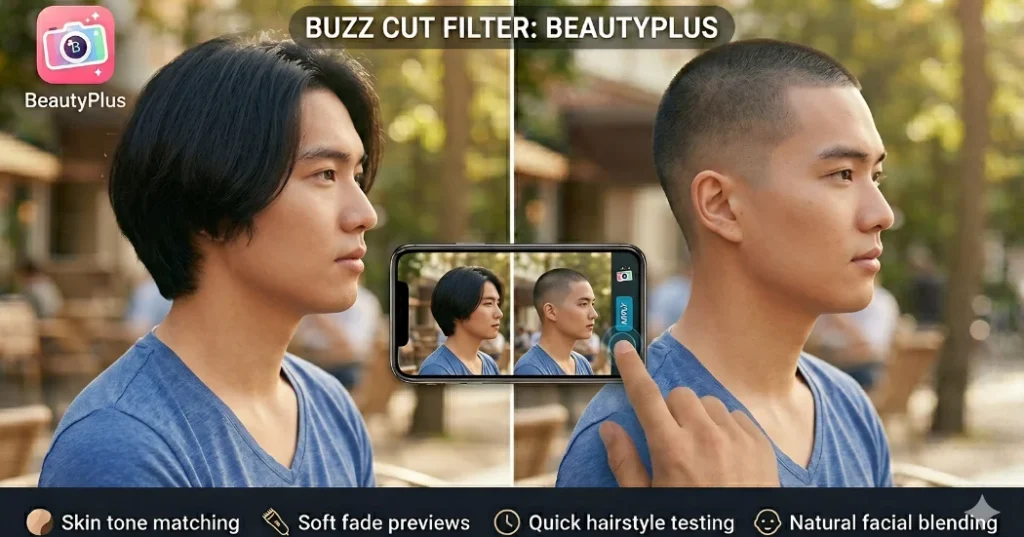
BeautyPlus is one of the easiest apps for beginners. It offers simple AI hairstyle previews with clean buzz cut effects.
The app works well for:
✅ Skin tone matching
✅ Soft fade previews
✅ Quick hairstyle testing
✅ Natural facial blending
👉 BeautyPlus is popular because the results often look smooth and realistic without heavy editing.
2. AI Lab Tools Buzz Cut Filter :

AI Lab Tools gives users more advanced AI hairstyle editing. The Buzz Cut Filter here focuses on detailed hair texture and face alignment.
It is useful for:
🟪 Sharp buzz cut previews
🟪 Fade simulations
🟪 Modern barber-style looks
🟪 High-quality image results
👉 Many users like this tool because it creates professional-looking hairstyle previews.
3. Media.io AI Buzz Cut Filter:

Media.io includes AI hairstyle generators that can create trendy buzz cut looks from simple selfies.
This platform is known for:
🟨 Fast processing
🟨 Easy uploads
🟨 Multiple hairstyle choices
🟨 Social media ready images
👉 Media.io works well for people who want a quick hairstyle preview before trying a real haircut.
4. Tiktok Buzz Cut Filter :

TikTok made the Buzz Cut Filter trend extremely popular. Millions of users try virtual buzz cuts for fun videos and style experiments.
The TikTok Buzz Cut Filter is popular because:
🟧 It is entertaining
🟧 Results appear instantly
🟧 Filters are easy to access
🟧 Users can compare before-and-after looks
👉 Many hairstyle trends in 2026 begin on TikTok before becoming real barber shop requests.
5. Air Brush Buzz Cut Filter :

AirBrush uses AI editing tools to create cleaner and more polished buzz cut previews.
It works best for:
🟥 Portrait selfies
🟥 Beard blending
🟥 Face enhancement
🟥 Natural skin editing
👉 AirBrush helps users create salon-style hairstyle previews that look professional.
6. Myshell AI Buzz cut Filter.

MyShell AI offers creative AI hairstyle generation with realistic buzz cut transformations.
This tool can:
🟩 Create multiple buzz cut styles
🟩 Match hairstyles with face shapes
🟩 Generate trendy 2026 looks
🟩 Improve hairstyle realism
👉 Users enjoy testing different buzz cut lengths without changing their real hair.
7. Snapchat Buzz Cut Filter :
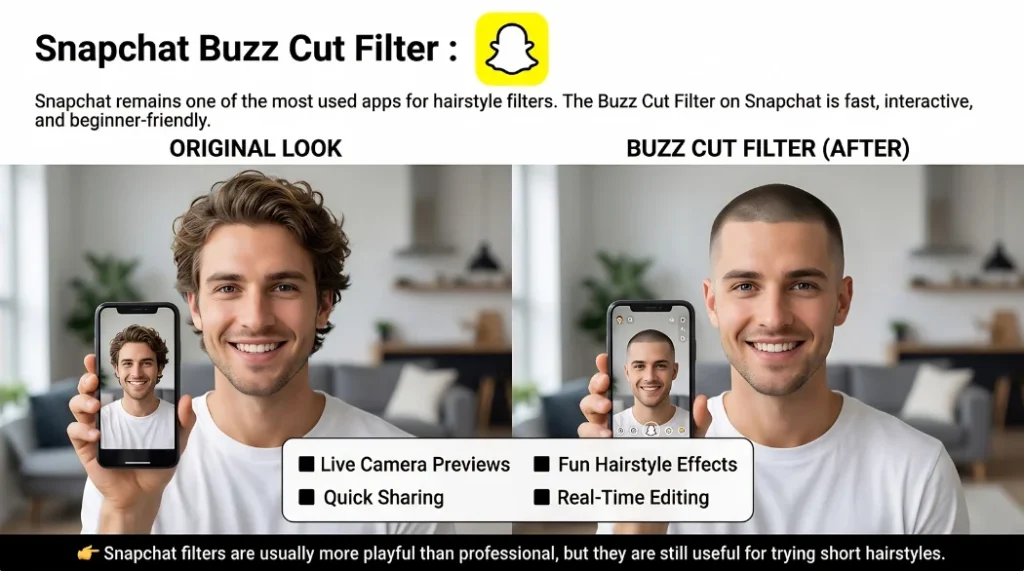
Snapchat remains one of the most used apps for hairstyle filters. The Buzz Cut Filter on Snapchat is fast, interactive, and beginner-friendly.
Popular features include:
⬛ Live camera previews
⬛ Fun hairstyle effects
⬛ Quick sharing
⬛ Real-time editing
👉 Snapchat filters are usually more playful than professional, but they are still useful for trying short hairstyles.
What Would I Look Like With a Buzz Cut?
A buzz cut can change how prominent your forehead, jawline, and facial features appear. To see what you might look like, upload a clear, front-facing selfie to an AI buzz cut simulator. Start with a #3 or #4 guard preview, then compare shorter #1 and #2 guard cuts. Test a low fade, mid fade, or even-length buzz cut to see how each style frames your face.
For a more useful comparison, use the same photo, lighting, and camera angle for every preview. Pay attention to your natural hairline, head shape, and hair texture, as AI filters may alter these details. Save two or three preferred looks and show them to your barber. Remember that a virtual buzz cut is only an approximation of the final haircut.
Not sure which short haircut will complement your features? Read our Buzz Cut for Face Shapes guide to compare suitable styles before trying them in an AI filter.
How to Use an AI Buzz Cut Filter on Your Photo
Using a Buzz Cut Filter is very simple in 2026. Most AI hairstyle apps follow similar steps.
1. Upload a Clear Selfie
Choose a front-facing image with good lighting. Avoid blurry or dark photos for better AI results.
2. Select the Buzz Cut Style
Pick the haircut style you want to test. Many apps offer:
◾ Number 1 buzz cut
◾ Number 2 buzz cut
◾ Skin fade buzz cut
◾ Military buzz cut
◾ Textured buzz cut
3. Let the AI Process the Image
The AI scans your face shape, hairline, and hair texture. It then creates a realistic buzz cut preview.
4. Compare Different Looks
Most tools let you test multiple styles and lengths. This helps you find the most suitable haircut.
5. Save or Share Your Result
You can save the image or show it to your barber during your haircut appointment.
How Accurate Are AI Buzz Cut Filters?
AI buzz cut filters can help you visualize shorter hair, but they cannot guarantee how a real haircut will look. Some tools may smooth your hairline, change the apparent shape of your head, or create hair density that differs from your natural hair. The preview may also look different depending on the lighting, camera angle, and quality of your selfie.
For a more realistic comparison, use a clear photo taken in natural light and test several buzz cut lengths on the same image. Pay particular attention to your temples, forehead, and natural hairline. If you have thinning hair or a receding hairline, remember that an AI-generated preview may not accurately reproduce those features. Use the results as inspiration and discuss your preferred length with your barber before getting the cut.
AI Buzz Cut Guide: Styles, Lengths & Trends
Buzz cuts are not all the same. Different lengths and fade styles create completely different looks.
1. Classic Buzz Cut
This style uses equal hair length across the head. It looks clean, simple, and timeless.
2. Fade Buzz Cut
A fade buzz cut keeps the sides shorter while leaving slightly more length on top. This style remains one of the biggest haircut trends in 2026.
3. Skin Buzz Cut
The sides are shaved very close to the skin. It creates a sharp and bold appearance.
4. Textured Buzz Cut
Some AI Buzz Cut Filter apps now show textured short hair instead of completely flat cuts. This style looks more modern and stylish.
5. Long Buzz Cut
A longer guard length keeps more visible hair texture. It is a great option for first-time buzz cut users.
Trending Buzz Cut Styles in 2026
- Low taper buzz cuts.
- Beard fade combinations.
- Clean hairline designs.
- Blonde buzz cuts.
- Shadow fades.
- Athletic-style buzz cuts.
Modern AI tools can now preview all these styles with realistic detail.
If you’re considering a more dramatic hairstyle change, a blonde buzz cut for men is worth exploring. From natural dirty blonde to eye-catching platinum shades, this look can be combined with different guard lengths and fades to create a style that suits your preferences.
Frequently Asked Questions
Conclusion
The Buzz Cut Filter has become one of the most popular AI hairstyle tools in 2026. It helps people test modern buzz cut styles safely before getting a real haircut. From TikTok trends to realistic AI barber simulations, these tools now offer impressive hairstyle previews with natural-looking results.
Whether you want a classic military cut, a faded buzz cut, or a stylish modern look, AI hairstyle filters make the process easier and smarter. Instead of guessing your next haircut, you can now preview it confidently from your phone in just a few seconds.
BuzzCutHub Editorial
BuzzCutHub publishes practical guides on men’s buzz cut hairstyles, modern fades, clipper guard sizes, and haircut maintenance.
Our content is designed to help readers understand different buzz cut variations, compare haircut lengths, and communicate their preferred styles to a barber. We aim to provide clear, accessible, and useful grooming information.


Trying different guard lengths and fades on the same selfie really is the key, once I locked the lighting and angle the #2 and #4 finally looked comparable. The warning that these previews are just estimates also saved me from trusting the app over my barber.
The tip about running different guard lengths and fades on the same photo is the part most people skip. I tried a few of these apps and the comparison only made sense once I kept the selfie, lighting and angle identical, otherwise a #2 and a #4 looked like totally different heads. Your point that AI previews are estimates is fair too, hairline and scalp tone are where they guess the most.
The point about reusing the same selfie to compare different guard lengths and fades is genuinely useful, since it keeps the comparison consistent rather than judging each preview against a different photo. I also appreciate the reminder that AI previews are estimates and your actual haircut may differ.
Testing different guard lengths and fades with the same selfie is a smart way to make the AI comparisons more consistent. I also appreciate the reminder that these previews are estimates rather than guarantees of the final cut.
Trying different guard lengths and fades on the same selfie is a smart way to compare styles consistently. I also appreciate the reminder that AI previews are estimates, since hair texture and head shape can make the real buzz cut look different.
Comparing different guard lengths and fades on the same selfie is a smart way to judge which buzz cut suits you best. I also appreciate the reminder that AI previews are only estimates, since hair texture and head shape can make the real result look different.
Trying different guard lengths and fades on the same selfie is a smart way to compare styles consistently. I also appreciate the reminder that AI previews are only estimates, since hair texture and head shape can make the real buzz cut look different.
I tried one of these previews before a trim last summer and it was oddly convincing until I saw my own hairline in daylight. Still, it saved me from a bad decision, which is more than I can say for the photo I keep on my phone of a barber’s chart.
Different kind of phone chore this week: my kid’s consent form came home crumpled in a backpack, and I needed a clean copy for the school portal. I laid it flat by a window, took a shot with LensUp and got a straight, printable PDF out of it — the file never leaves the phone, the processing just happens in the tab.
The discussion in “Buzz Cut Filter: 7 Free Apps to Try Before Your Cut” is clear and useful. The supporting details make the main points much easier to understand.
A buzz-cut preview is most helpful when the face shape and lighting stay unchanged. Comparing several hair lengths on the same photo would clarify the effect.
For “What is Buzz Cut Filter”, is there a visual example readers could view alongside the text? Clear captions would help keep any image sequence connected to its original context. Drake AI Video uses an authorised photo to make a short prepared party scene with music.
Useful, thank you. The examples are genuinely good, and PixQuill AI image agent gets similar results for less fuss.
Nice work. I came here for the upscaling tips and stayed for the rest of it.
Cheers for sharing this. Practical, specific, no filler.
Previewing a buzz cut on a selfie before visiting a barber is a genuinely useful AI use case. Different lengths and hairlines can change a portrait more than expected. I also use ProfileLoom to compare broader portrait styles before picking a profile image.
Good read. I tried the approach you described and it worked better than I expected.
Helpful and well written. Would happily read more like this.
Really solid post. The step-by-step is the key, too many guides assume you already know what you are doing.
Great article, thank you for sharing! The topic is genuinely interesting and the way you explained it makes it easy to follow. I’ll definitely keep this in mind.
The idea of previewing a buzz cut before visiting a barber is useful. For people comparing several reference photos, an image description tool can also help organize the images and make them easier to review.
Visual content is easier to reuse when each asset has a factual description covering the main subject, setting, and relevant text. That metadata supports accessibility while also making editorial review more efficient.
The strongest AI workflows expose an intermediate result that people can review. In visual editing, checking subject boundaries before the final background effect prevents many avoidable artifacts.